Fragmentation Tab

Table of Contents

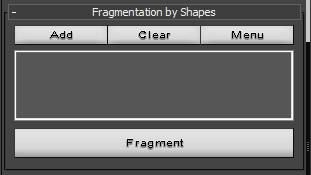
Fragmentation by Shapes

In this rollout you can define textures which you want to cache into shapes, create cached shapes and cut Impact objects.

Try not to use textures more then 500 x 500 pixels.

Texture should be Black&White, shape will be cached only at edges of these two colors.

RayExplosion Tool

Cached Shapes

Add: Open Explorer Open window to define texture which you want to cache into shapes. All cached shapes will be stored in rfs file format in Max Root \ RfShapes folder for later use.

Clear: Remove selected cached shape from the list and delete rfs file in RfShapes folder.

Menu: Allows to open folder with already saved rfs shapes and add folder with stored rfs shapes.


Shape Options

Trace step: Allows to optimize created shape and make it more smooth.

Optimize angle: Allows to optimize created shape, make it more smooth and remove spiky angles.

Create Shapes: Create selected in list shapes. All shapes will be grouped together and positioned at world center.

Cut Impact Objects: Cut Impact objects with selected in viewport shapes. Shapes should be positioned outside of impact object and their local Z axis should look to Impact object. Shape will project itself to Impact object over Z axis and cut it.